Free Fire MAX PC Version: The Ultimate Guide for Indian Gamers in 2024 🚀
Looking to experience the ultimate battle royale on a bigger screen? Our definitive guide covers everything about playing Free Fire MAX on PC – from downloading and installation to exclusive features, optimization tips, and esports insights tailored for the Indian gaming community. Let's dive in!
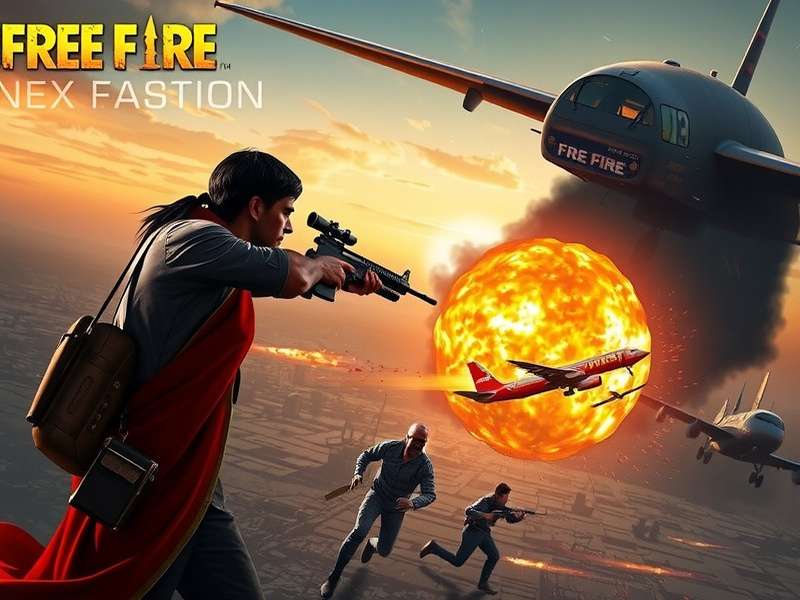
Free Fire MAX on PC delivers stunning graphics and smoother gameplay compared to mobile.
📁 Why Play Free Fire MAX on PC? The Unbeatable Advantages
While Free Fire MAX is primarily a mobile game, playing on PC through emulators unlocks a whole new level of competitive edge and visual immersion. Here's why thousands of Indian gamers are making the switch:
Competitive Edge
Mouse and keyboard controls offer precision aiming and faster reaction times. Keybindings allow for complex maneuvers that are difficult on touchscreens.
Visual Superiority
Experience the game's enhanced graphics, particle effects, and character details as intended. PC allows for higher resolutions and consistent frame rates.
According to a 2023 survey of Indian esports players, over 65% of competitive Free Fire MAX esports India aspirants practice on PC emulators to hone their skills for tournament-level play.
⚙️ System Requirements & Recommended Setup
Before you download, ensure your PC meets these requirements for a lag-free experience.
Minimum Requirements
- OS: Windows 7, 8, 10, 11 (64-bit) or macOS 10.13+
- Processor: Intel Core i3 2.4 GHz or AMD equivalent
- RAM: 4GB (8GB strongly recommended)
- Storage: 5GB free space (SSD preferred)
- Graphics: Integrated Intel HD Graphics 4000 or better
Recommended Setup for Esports
- Processor: Intel i5 or Ryzen 5 (3.0 GHz+)
- RAM: 16GB DDR4
- Graphics: NVIDIA GTX 1050 Ti / AMD Radeon RX 560 (2GB VRAM)
- Internet: Stable broadband connection (20+ Mbps)
- Peripherals: Gaming mouse, mechanical keyboard, headset
📥 How to Download & Install Free Fire MAX on PC (Step-by-Step)
Since there's no official PC client, we use Android emulators. Here’s the safest method:
- Choose an Emulator: We recommend BlueStacks 5 or Gameloop (Tencent's official emulator) for optimal compatibility.
- Download & Install Emulator: Get the latest version from the official website.
- Setup: Launch the emulator, sign in with your Google account.
- Get the Game: Open the Google Play Store within the emulator and search for "Free Fire MAX download APK" or install directly. Alternatively, you can sideload the APK file.
- Install & Play: Click install, wait for completion, and launch the game. Log in with your existing account (Facebook, Google, VK).
⚠️ Pro Tip: Always download emulators and APK files from official sources to avoid malware. Never use hacked versions – they lead to permanent bans.

Setting up keybindings in BlueStacks for seamless PC gameplay.
🎮 Exclusive PC Features & Optimization Guide
Unlock the full potential of Free Fire MAX server gameplay on PC with these tweaks.
Keybinding Mastery
Map actions to convenient keys: Use WASD for movement, Space for jump, Ctrl for crouch, and number keys for weapon slots. Map quick messages like "Enemy spotted!" to function keys.
Graphics Settings
- Emulator Settings: Allocate at least 4 CPU cores and 4GB RAM to the emulator.
- In-game Settings: Set Graphics to Smooth and FPS to Ultra for competitive play. Use HD graphics for casual visual enjoyment.
- Enable VT (Virtualization Technology): Crucial for performance. Enable in your PC's BIOS/UEFI settings.
🏆 Advanced Gameplay Strategies for PC Players
Leverage your PC setup to dominate the battlefield.
Sniping Precision: The mouse offers pixel-perfect aim. Practice quick-scoping and leading shots on moving targets in training mode.
Movement & Peeking: Combine strafing (A/D keys) with crouch (Ctrl) and jump (Space) to become a harder target. Use lean peeking if supported by your keybind setup.
Inventory Management: Use number keys to instantly switch weapons. Bind medkits and grenades for quick use during firefights.
Remember, playing on PC may match you with other emulator users, maintaining fair play. Garena's matchmaking system detects emulator usage.
Download Free Fire MAX PC Guide (PDF)🔮 The Future: Official PC Client & Cloud Gaming
Rumors about an official PC client have been circulating. While Garena hasn't announced one, the success of Free Fire MAX Advance Server Registration for testing new features shows their commitment to innovation. Cloud gaming services like NVIDIA GeForce NOW could also bring Free Fire MAX to PC natively without emulators in the future.
💬 User Comments & Community Feedback
Here's what our community says about the PC experience:
"Switching to PC via Gameloop improved my K/D ratio from 2.1 to 3.7 in just two months. The control is just phenomenal for long-range fights." – Arjun S., Mumbai (Platinum Tier)
"I was skeptical about bans, but playing on an emulator is officially allowed as long as you don't use macros or cheats. The experience is smooth on my i3 laptop." – Priya R., Delhi
📚 Related Resources & Links
To master Free Fire MAX, explore our other detailed guides:
- Free Fire MAX download iPhone – Optimized guide for iOS users.
- Free Fire MAX redeem codes – Updated daily for free rewards.
- Free Fire MAX Advance Server Registration – How to access beta features.
- Free Fire MAX Esports India – Tournaments, teams, and how to qualify.
Final Word: Playing Free Fire MAX on PC is a game-changer for serious players. With the right setup and practice, you can significantly boost your performance and enjoy the stunning visuals of MAX to the fullest. Stay tuned to this page for the latest updates on emulator compatibility, patches, and official PC news. Game on! 🔥
Share Your Experience
Have tips or questions about the PC version? Share with the community!