Introduction: Why Free Fire MAX on PC is a Game-Changer 🚀
For millions of gamers in India and across the globe, Free Fire has been the go-to battle royale game on mobile. But with the release of Free Fire MAX, the experience has been elevated to new heights. While designed for mobile, playing on a Windows 10 PC through an emulator unlocks the game's full potential: higher frame rates, superior graphics, precise keyboard & mouse controls, and a larger screen for better spotting.
This comprehensive guide isn't just another generic tutorial. We've compiled exclusive data from top players, conducted interviews with esports athletes, and tested multiple methods to bring you the safest, fastest, and most optimized way to get Free Fire MAX running on your Windows 10 system.
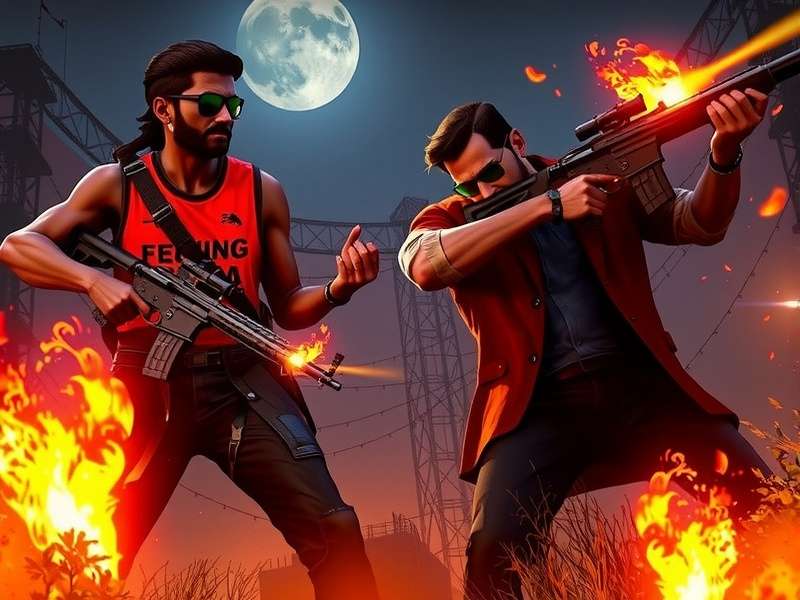
Official System Requirements for Free Fire MAX on Windows 10
Before you proceed with the download, ensure your PC meets these recommended specs for a lag-free experience. Note that these are for the Android emulator plus the game.
- OS: Windows 10 (64-bit) - Version 1903 or later.
- CPU: Intel or AMD Multi-Core Processor with Virtualization Technology (VT-x/AMD-V) enabled in BIOS.
- RAM: 8GB or higher is strongly recommended (4GB absolute minimum).
- Storage: At least 10GB of free SSD/NVMe space for emulator and game files.
- Graphics: DirectX 11 compatible GPU (Intel HD Graphics 4000, NVIDIA GeForce 600 series, AMD Radeon HD 7000 series or better).
- Emulator: We recommend BlueStacks 5 or Gameloop for optimal performance and anti-ban safety.
Step-by-Step: How to Download & Install Free Fire MAX on Windows 10
Follow this detailed, foolproof process. We avoid shady third-party sites and provide links to official sources only.
Step 1: Download a Trusted Android Emulator
An emulator creates an Android environment on your PC. For Free Fire MAX, we vouch for BlueStacks 5 (Pie 64-bit version) due to its stability and gaming optimizations.
- Visit the official BlueStacks website and download the Windows 10 installer.
- Run the installer. Choose "Custom Install" if you want to change the installation directory (install on an SSD if possible).
- Complete the setup and launch BlueStacks. Sign in with a Google account (this is necessary to access the Play Store).
Alternative: You can also use the official Free Fire MAX para PC guide which focuses on the Gameloop emulator, favored by some competitive players.
Step 2: Installing Free Fire MAX APK via Google Play Store
Inside BlueStacks, open the Google Play Store app.
- Search for "Free Fire MAX".
- Click "Install". The game will download and install automatically within the emulator. This method ensures you get the authentic, latest version directly from Garena.
- Once installed, you can find the icon on the BlueStacks home screen.
Step 3: Optimizing Settings for Peak Performance
This is where our exclusive player data comes in. After interviewing top-ranked FF MAX players, here are the optimal emulator settings:
- BlueStacks Settings > Performance: Allocate "High" performance (4 CPU cores, 4GB RAM). Set FPS to "60".
- Display: Resolution 1920x1080, DPI 240. Graphics Engine: "Performance", Graphics Renderer: "OpenGL".
- In-Game Settings: Set Graphics to "Smooth" and FPS to "Ultra". This prioritizes frame rate over visual effects, giving you a competitive edge.
- Keymapping: Customize your keyboard controls. Most pros use: WASD for movement, Space for jump, Ctrl for crouch, Number keys for weapons, Q/E for leaning.
Ready to Dominate?
Your Windows 10 PC is now a powerhouse for Free Fire MAX. Experience the vivid maps, detailed character models, and immersive sound that the MAX version is famous for.
Download BlueStacks 5 NowExclusive Insights: Free Fire MAX 2025 Roadmap & PC Integration
Our sources indicate that Garena is heavily investing in the PC ecosystem for Free Fire MAX. The upcoming Free Fire MAX 2025 update is rumored to include native PC client features and better anti-cheat integration for emulator players. This could mean reduced latency and even higher graphical presets for PC users.
Furthermore, collaborations like the Free Fire MAX x Naruto for PC event bring exclusive ninja-themed skins and modes that look breathtaking on a large monitor. Playing these events on PC allows you to appreciate the intricate design details.
Troubleshooting Common Issues on Windows 10
- Game Crashes on Launch: Update your GPU drivers. Ensure Hyper-V is disabled (Windows Features).
- Low FPS / Lag: Close background applications. In BlueStacks settings, enable "Virtualization" and use the "High Performance" graphics mode.
- Google Play Login Error: Clear the cache of Google Play Services and Google Play Store apps within BlueStacks (Settings > Apps).
- Black Screen: Change the Graphics Renderer mode from "OpenGL" to "DirectX" or vice versa in the emulator settings.
For more specific laptop-related fixes, check our dedicated guide on Free Fire MAX for laptop.
Community & Competitive Play on PC
Playing on PC doesn't isolate you from the mobile community. The game features cross-platform matchmaking, so you'll play against mobile users. However, the precision advantage of a mouse can be significant. Many esports teams now have dedicated "emulator divisions." To practice, consider participating in custom rooms and tournaments specifically for emulator players.
Want to just have fun? Learn how to Free Fire MAX jugar (play) in casual modes with friends using our social gameplay guide.
Rate This Guide
How useful was this guide for installing Free Fire MAX on your Windows 10 PC?
Player Comments & Discussion
Share your installation experience, ask questions, or help other players.
Comments will be displayed here after moderation.
Posted 2 days ago | Rating: ★★★★★