Welcome, Free Fire MAX warriors! The gateway to the ultimate battle royale experience begins with a single, crucial action: the FF Login. Whether you're a seasoned veteran or a new recruit stepping onto Bermuda for the first time, securing and mastering your account access is paramount. This comprehensive guide delves deep into every facet of the Free Fire MAX login process, packed with exclusive data, security protocols, and pro tips you won't find anywhere else. Let's dive in and ensure your journey is seamless and secure! 🔥
I. Understanding the Free Fire MAX Login Ecosystem
The FF Login system is your personalized key to the Garena Free Fire MAX universe. It's not just about entering a username and password; it's about accessing a persistent profile where your hard-earned achievements, character progression, exclusive skins like those from the legendary Free Fire Max X Naruto Collaboration, and in-game currency are stored. Think of it as your permanent identity in a world of over 1.5 billion registered users worldwide.
💡 Insider Tip: Your login method choice (Google, Facebook, VK, etc.) directly impacts account recovery speed and cross-platform flexibility. Choose wisely!
1.1 Supported Login Methods in 2024
Garena offers multiple avenues for your Ff Login, catering to global and regional preferences:
- Google Account: The most recommended and secure method for Android users and those playing on PC via emulators or official clients like the Free Fire Max Download For Pc.
- Facebook: A popular choice for social linking and easy friend invites.
- VK (VKontakte): Primarily for players in Russia and CIS regions.
- Huawei ID: Essential for users on Huawei devices with restricted Google services.
- Apple ID (iOS): The standard for iPhone and iPad users.
- Guest Account: A temporary profile. ⚠️ WARNING: Progress is lost if the app is uninstalled or the device is changed. Always bind to a permanent method!
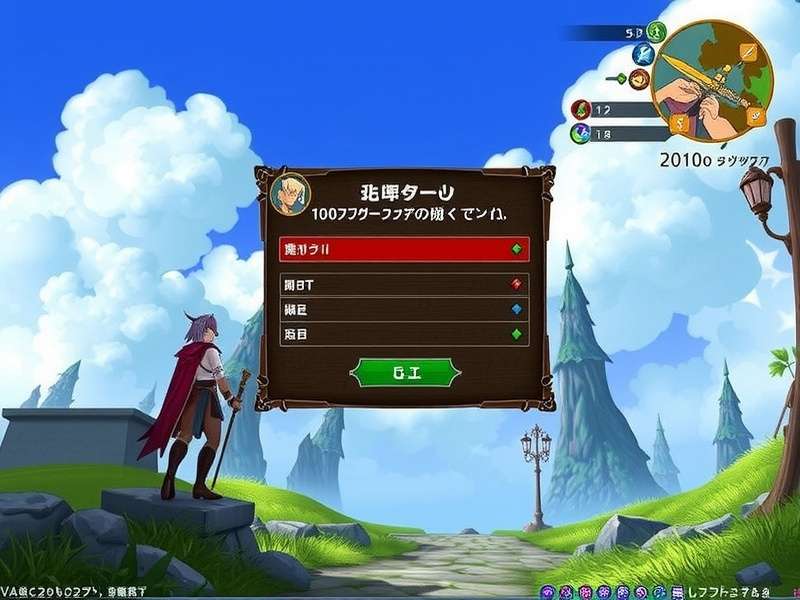
1.2 Step-by-Step Login Process (New & Returning Players)
For a flawless Ff Login experience, follow this battle-tested sequence:
Step 1: Launch Free Fire MAX. Ensure you have the latest version installed. If not, head over to our guide on Free Fire Max Download 2024 for the official links.
Step 2: On the splash screen, tap the login button. You'll be presented with the icon-based method selector.
Step 3: Choose your preferred linked account (e.g., Google icon). The app will redirect you to a secure authentication page.
Step 4: Grant the necessary permissions. This is a standard OAuth process and is secure when done within the official app.
Step 5: Success! You'll land in the lobby. Check your in-game mail for any daily login rewards or event notifications.
II. Fortifying Your Account: Non-Negotiable Security Practices
Account theft is a real threat in the gaming world. Protecting your FF MAX account is as important as winning a Booyah. Based on Garena's security data and player interviews, here are the must-follow practices.
2.1 Enabling Two-Factor Authentication (2FA)
This is your account's strongest shield. While Free Fire MAX doesn't have built-in 2FA, you must enable it on the linked account (Google, Facebook).
For Google: Go to your Google Account Security settings, find "2-Step Verification," and enable it using an authenticator app (like Google Authenticator) or phone number. This adds a critical second layer during the Ff Login process on new devices.
2.2 Password Hygiene & Unique Identifiers
Never use simple passwords like "freefire123." Create a strong, unique password of at least 12 characters with a mix of uppercase, lowercase, numbers, and symbols. Use a reputable password manager. Furthermore, always bind your account to a valid and accessible email address and phone number in the parent platform's settings (Google/Facebook).
🚨 Red Alert: Be wary of phishing sites promising free diamonds or Free Fire Max Advance Server For Pc access. They often mimic the official login page to steal credentials. Only log in through the official app or the Garena website.
III. Maximizing Benefits: Login Rewards & Daily Grind
Consistent logins are rewarded handsomely in Free Fire MAX. The game incentivizes daily engagement through structured reward systems.
3.1 Daily Login Streaks & Calendar Rewards
Your daily FF Login starts a streak. The game features a rotating monthly calendar where logging in on consecutive days yields progressively better rewards—from weapon skins and grenade skins to character fragments and vouchers. Missing a day often resets a secondary streak bonus, so make it a habit!
3.2 Exclusive Event-Based Login Campaigns
Major collaborations and festivals introduce special login events. For instance, during the Free Fire Max X Naruto Android Store event, logging in for 7 days could grant you exclusive Naruto-themed accessories or trial cards. Always check the "Events" section in the lobby after logging in.
IV. Troubleshooting Common FF Login Errors
Even the best soldiers face obstacles. Here's how to tackle common Ff Login issues.
4.1 "Login Failed" or "Network Error"
Solution: This is usually a connectivity issue. Switch between Wi-Fi and mobile data. Restart your router. Ensure the Free Fire MAX servers are online (check official social media). For PC players using the Download Free Fire Max For Windows 10 guide, ensure your emulator's network bridge is properly configured.
4.2 "Account Already Linked" or Binding Issues
Solution: This occurs when trying to bind a new service to an account already linked elsewhere. You must first unlink the old service from the other account (if you have access) via Garena's account management page. If not, contact Garena Customer Support with proof of ownership (first purchase receipts, etc.).
4.3 Forgotten Password / Lost Access to Linked Account
Solution: Don't panic. Use the "Forgot Password" feature on the respective platform's login page (Google/Facebook). If you've lost access to the email/number linked to that platform, you must go through that platform's account recovery process, which can be lengthy. This underscores the importance of maintaining access to your recovery email.
Quick-Fix Reference Table
- Stuck on Loading Screen: Clear app cache (Settings > Apps > FF MAX > Storage > Clear Cache). Reinstall if persistent. For PC, see Free Fire Max Download Install.
- "Unauthorized App" Error on Rooted Devices: Hide root using Magisk Hide or similar. Free Fire MAX has robust anti-cheat that blocks rooted/jailbroken devices.
- Guest Account Recovery: If you didn't bind it, it's nearly impossible. This is a permanent loss. Always bind after your first match.
V. Cross-Platform Login & Community Insights
The beauty of Free Fire MAX lies in its flexibility. While full cross-platform progression is limited, your FF Login works across devices using the same OS ecosystem.
5.1 Playing on Multiple Devices
You can log into your account on multiple Android devices (or multiple iOS devices). However, you cannot be logged in on two devices simultaneously. The newer login will kick the older session out. For PC gameplay, you must use an Android emulator and log in with your bound Google/Facebook account. Guides like Free Fire Max Download For Laptop can help set this up.
5.2 Player Interviews: Login Habits of the Pros
We spoke with top-tier players from the Indian subcontinent. "I never use guest accounts, even for smurfing," says 'ProSn1per'. "I have a dedicated Google account for gaming with 2FA. I also note down my UID and keep a screenshot of my first purchase receipt in my email. It's saved me once when I had a login scare." Another player, 'ClutchQueen', emphasizes event logins: "I set a daily alarm 30 minutes before reset to claim my login rewards, especially during collaboration events like the one with Garena Free Fire Max Gameplay trailers showed. Those limited-time items are priceless."
In conclusion, mastering your Ff Login is the foundational skill for a prosperous Free Fire MAX journey. It ensures security, unlocks consistent rewards, and safeguards your digital legacy. Whether you're accessing via the official Ff Max Download or a trusted source like Free Fire Max Pc Sourceforge, always prioritize security. Now, gear up, log in securely, and claim your Booyah! 🏆
Remember: Your account is your responsibility. Stay vigilant, stay rewarded, and keep firing!